HRIT University · Tech Vaganza V.14
How to register
Nine quick steps from the event page to your entry ticket. Read this once and you will not need to call anyone.
- Dates
- 4 & 5 December 2026
- School (10–12)
- Free entry
- College
- ₹200 per activity
- Entry
- Ticket on your phone
 1
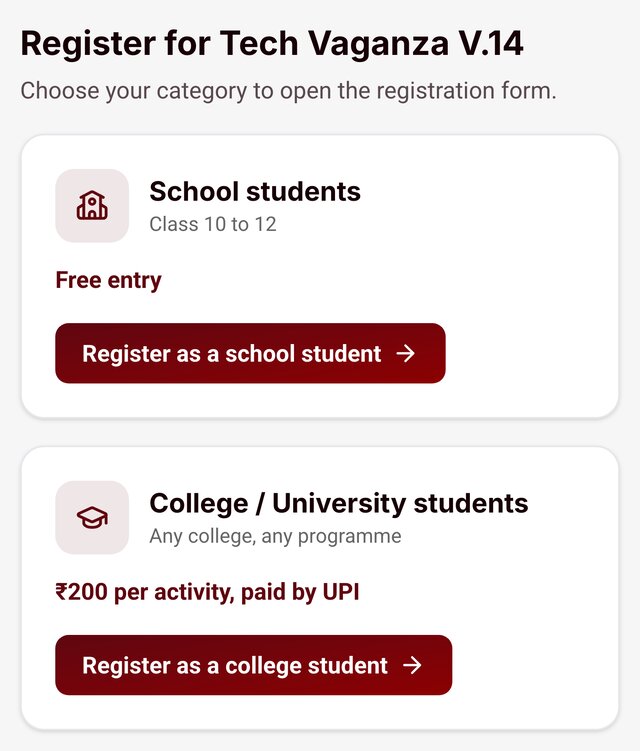
Choose your category
- Open hrituniversity.edu.in/tech-vaganza on your phone.
- School students (Class 10 to 12): free entry.
- College / university students: ₹200 per activity, paid by UPI.
 2
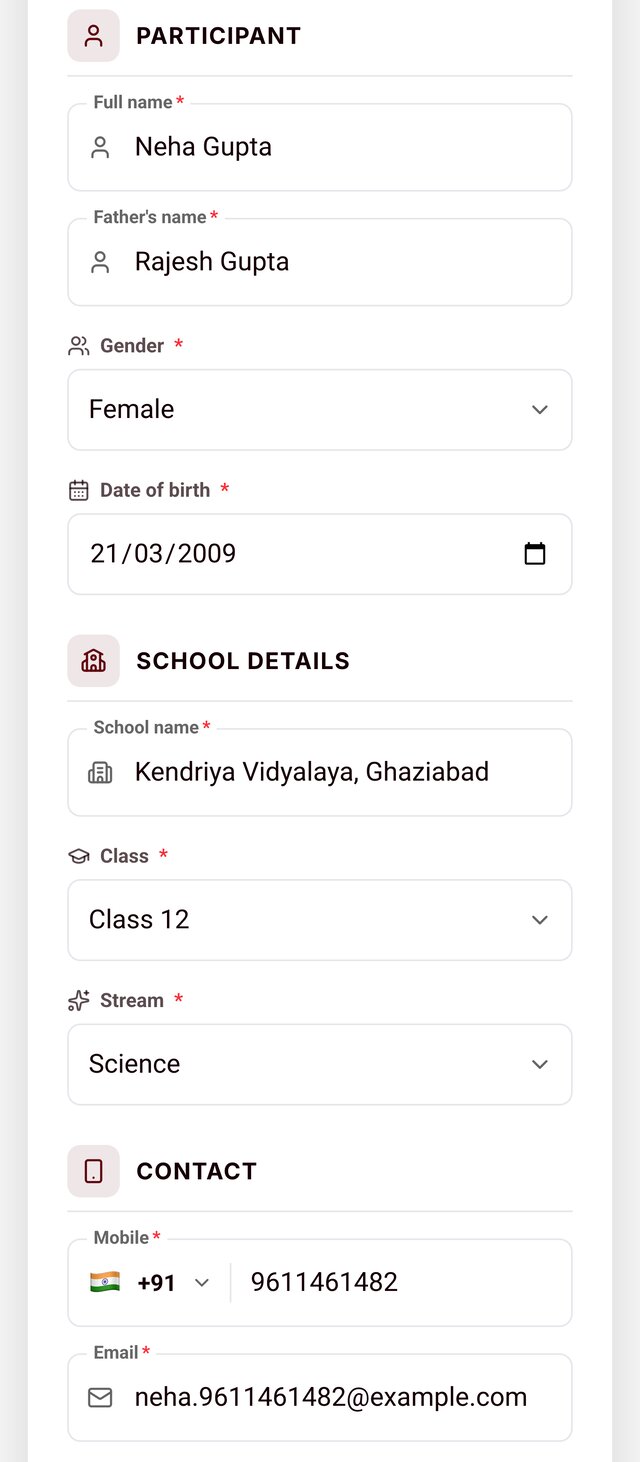
Fill your details
- Required: full name, father's name, gender, date of birth, school / college name, mobile and email.
- School students also pick class and stream; college students type their programme and pick the semester.
- Use your own mobile number: it is the key to check your status later.
 3
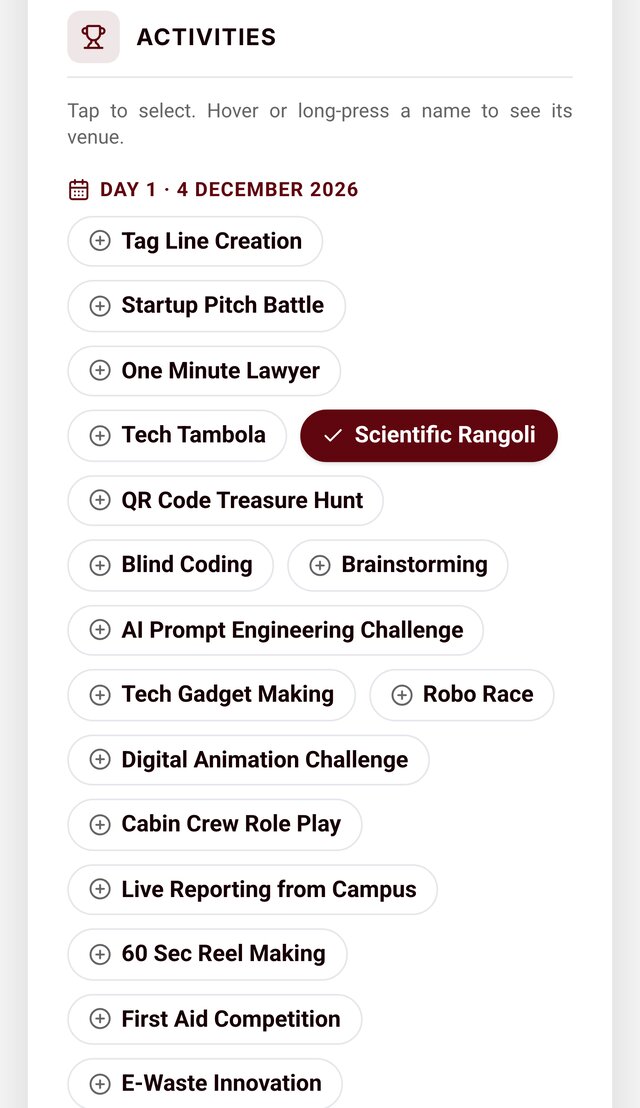
Pick your activities
- Tap an activity to select it. You can pick more than one (up to 10).
- One registration per activity per mobile number. The same number can register for other activities later.
- The selected list shows the day and venue of each activity.
 4
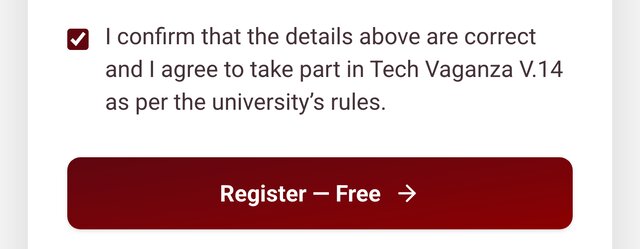
Confirm and submit
- Tick the declaration and press Register.
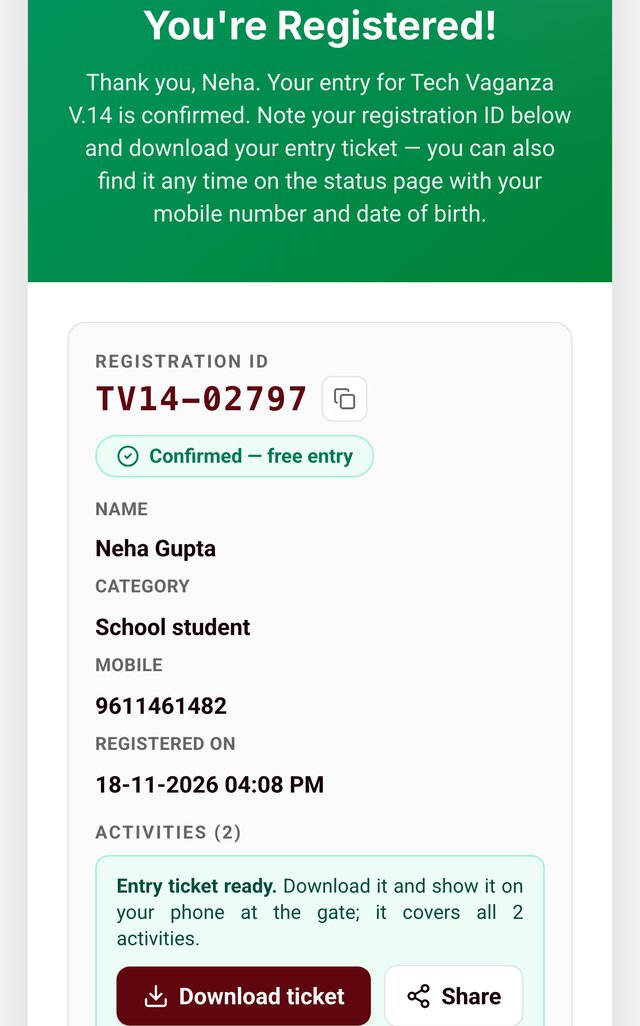
- School students are registered instantly.
- College students go to the payment step next.
 5
Note your Registration ID
- Your ID looks like TV14-00123. It is shown on screen; no email or SMS is sent.
- Lost it? Find it any time on the status page with your mobile number and date of birth.
 6
College students: pay by UPI
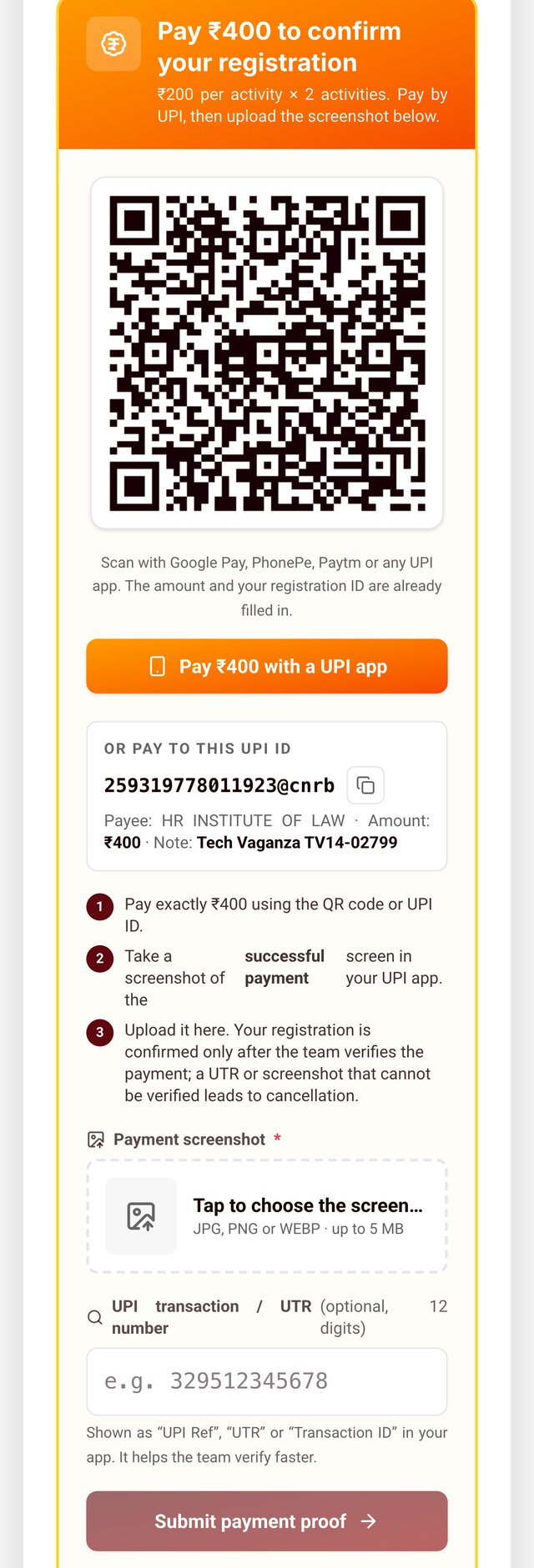
College only- Scan the QR code with any UPI app, or tap "Pay with a UPI app" on your phone. The amount and your ID are filled in.
- Pay the exact amount shown.
- Take a screenshot of the successful payment, upload it, add the UTR if you have it, and submit.
- Closed the page? Open the status page later and finish the payment there.
 7
Payment verification
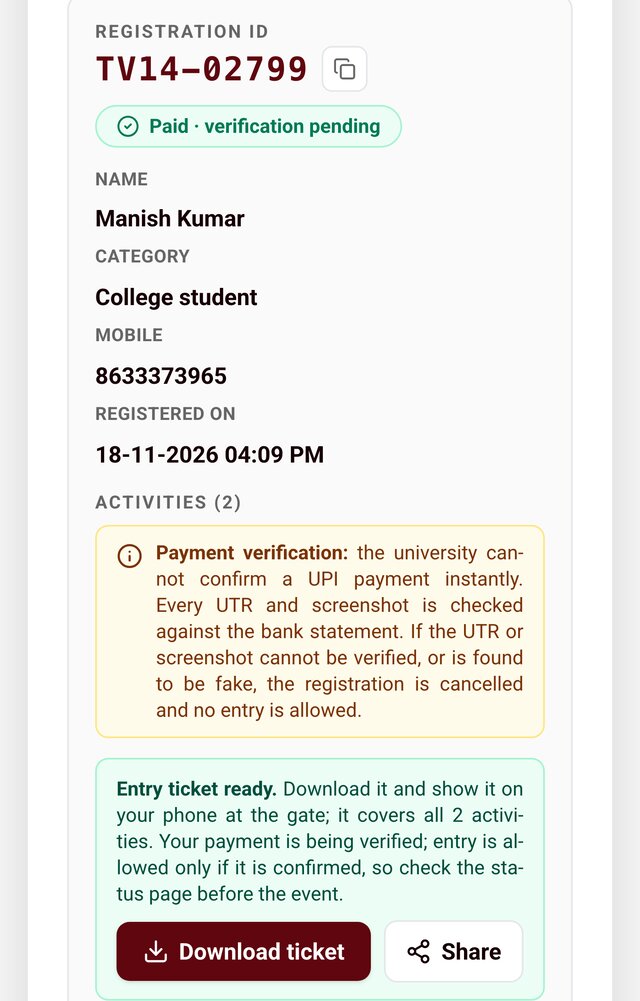
College only- After upload your registration shows "Paid · verification pending".
- The university checks every UTR and screenshot against its bank statement.
- If the payment cannot be verified, or the proof is fake, the registration is cancelled and entry is refused.
 8
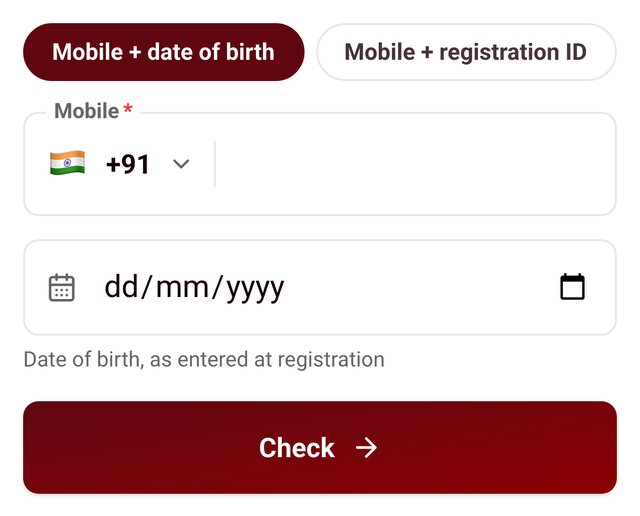
Check your status any time
- Open hrituniversity.edu.in/tech-vaganza/status.
- Enter your mobile number with your date of birth, or with your registration ID.
- You will see your activities, payment status and the ticket download.
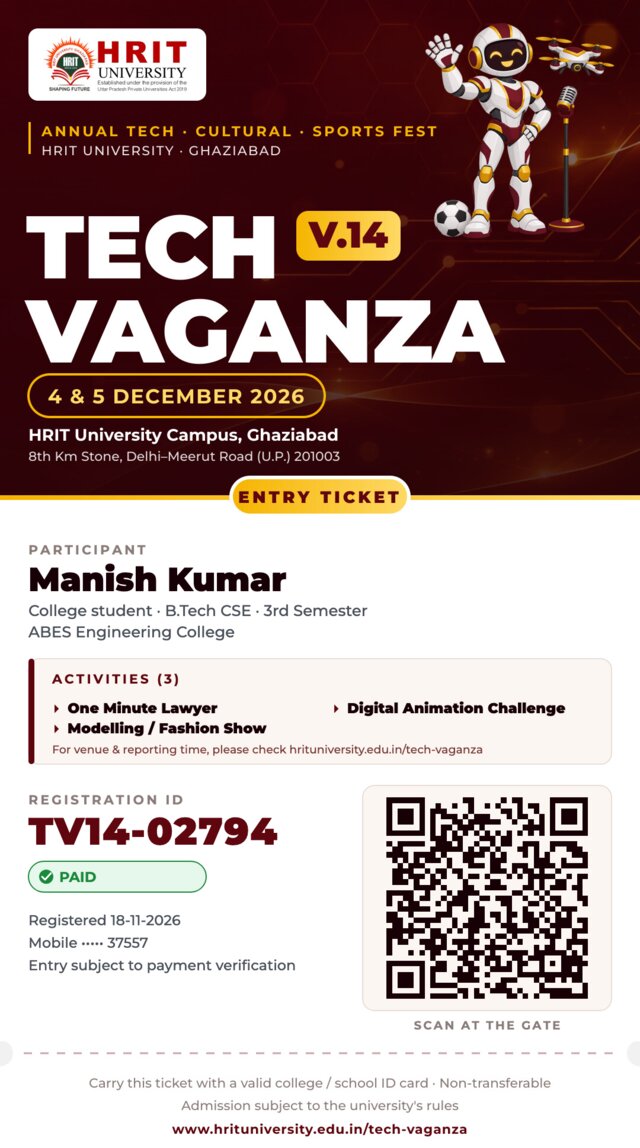 9
Download your entry ticket
- From the confirmation screen or the status page, tap Download ticket. One ticket covers all your activities.
- Show the ticket on your phone at the gate with your school / college ID card. Staff scan the QR code to verify your entry.
- Venue and reporting time of each activity are on the website, not on the ticket.
Rules and payment terms
- One registration per activity per mobile number. You may register other activities with the same number.
- College fee: ₹200 per activity, paid by UPI only. The fee is non-refundable.
- Entry for college students is allowed only after the payment is verified. Fake or unverifiable proof means cancellation.
- Carry a valid school / college ID card. Tickets are non-transferable.
- Registration closes on 4 December 2026, 9:00 AM.
- Venue and reporting time can change; check the website before you come.
- The university's decision on all matters is final.
Still stuck?
Check the status page first; most answers are there. Helpline for anything else:
www.hrituniversity.edu.in/tech-vaganza